ServiceXG Basics
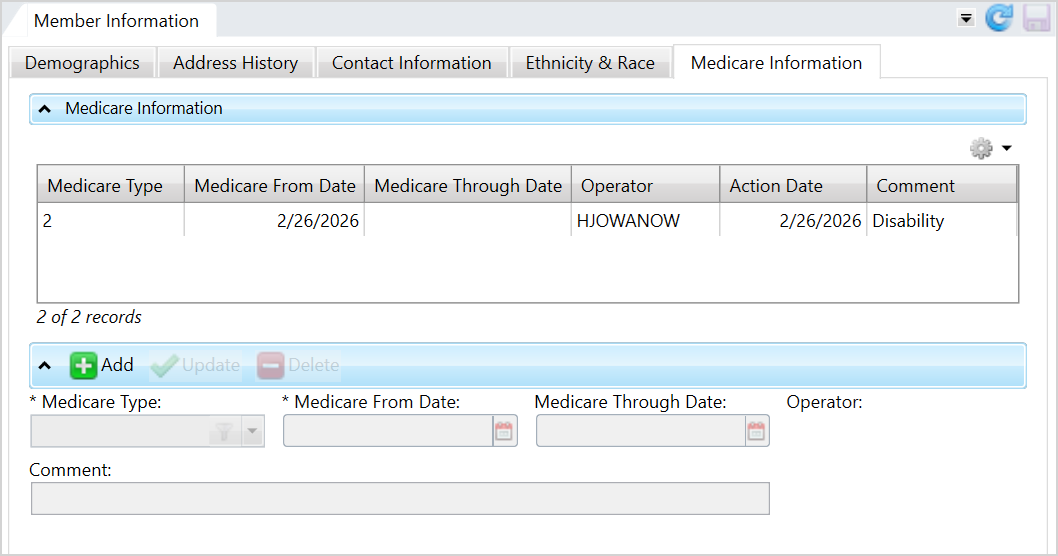
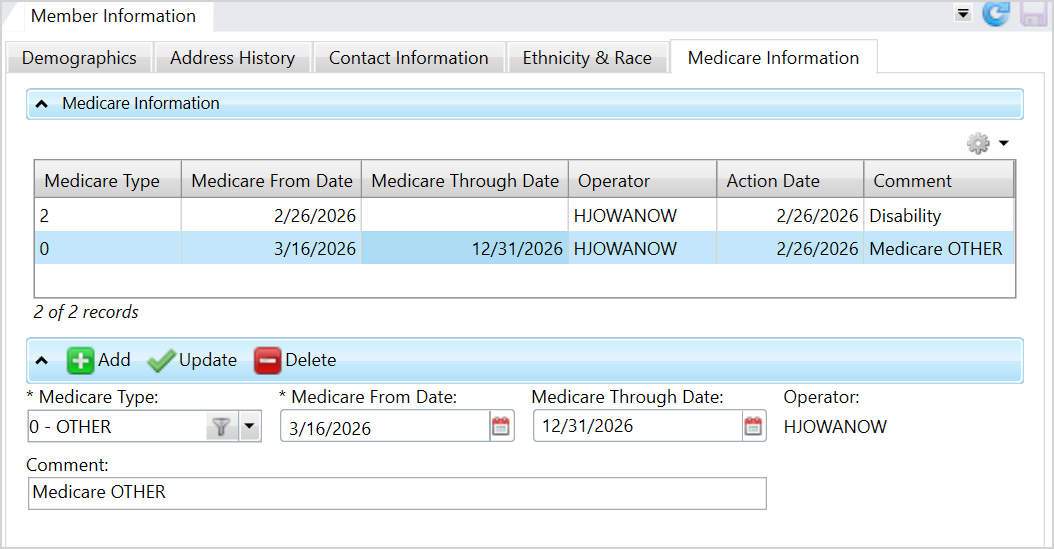
Use this tab to view and manage a member's Medicare information.
Access the Member Information tab from the Member menu available on the navigation pane. Then, select the Medicare Information tab.
Add Medicare Information
-
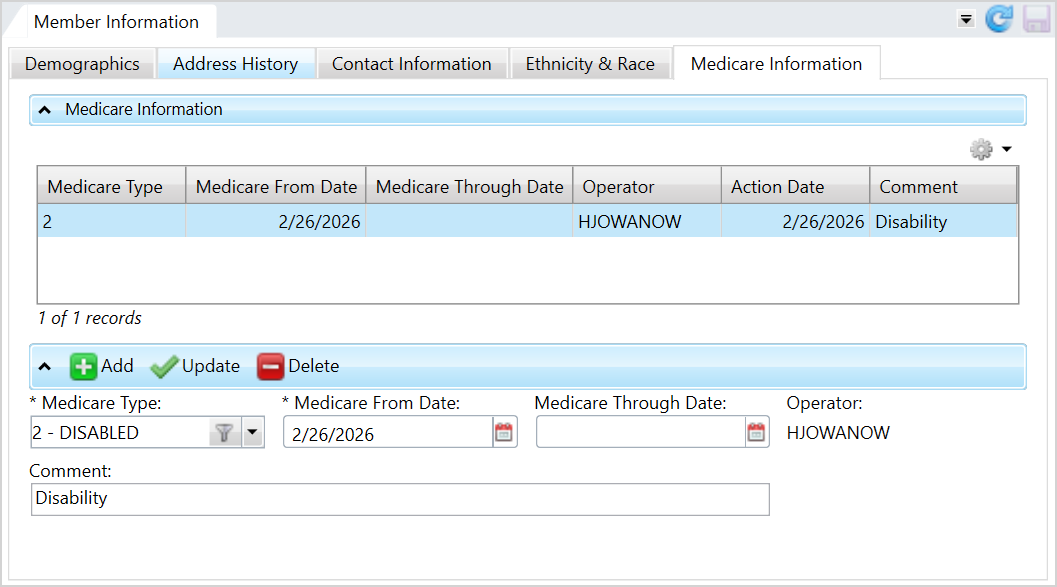
Click
 .
. -
Select the member's
Medicare Type, or reason the individual is eligible for Medicare: 0— Other1— Overage Age 652— Disabled3— End Stage Renal-
4— Part A (Hospital Insurance) -
5— Part B (Medical Insurance) -
6— Part C (Medicare Advantage) -
7— Part D (Prescription Drug Coverage) -
8— Medigap (Medicare Supplement Insurance) -
9— Medicare Cost Plans -
10— PACE (Program of All-inclusive Care for the Elderly) -
Choose the
Medicare From Date. This date is the day the individual became eligible for Medicare and is required. -
Choose the
Medicare Through Date, or the last day of the individual's Medicare coverage. -
Enter an optional
Commentabout the Medicare information. -
Click
 to update the table.
 -
Click
 to save.
Update Medicare Information
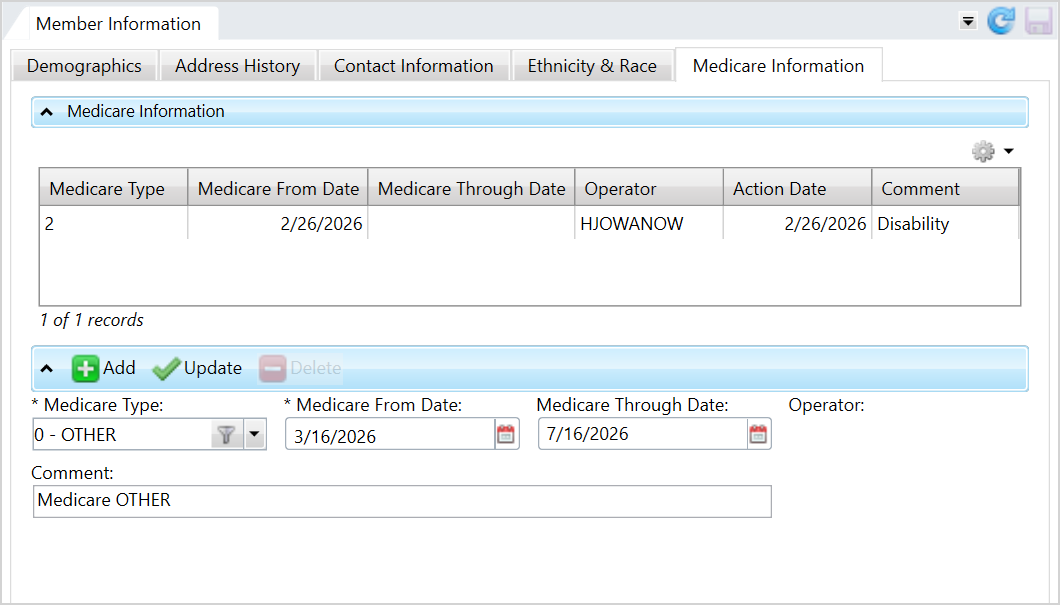
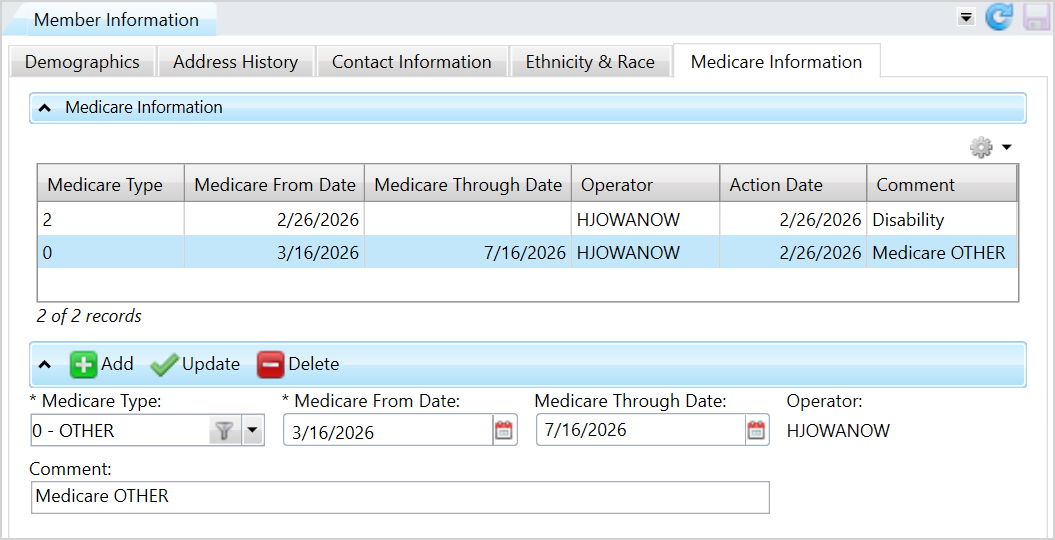
- Select the row to update from the table.
- Edit the
Medicare Type, From Date,orThrough Date, or enter a comment. - Click to update the table.
-
Click
to save.
Delete Medicare Information
- Select the row to delete from the table.
- Click
 .
. -
Click
to save.