 ServiceXG Basics
Set frequency code permissions
See Add or update user roles to learn more about working in the role editor.
Go to: Home > System Administration> Security > Authorization Role Editor
- Select the role name from the menu.
-
Filter the
Functioncolumn byFrequency Codes.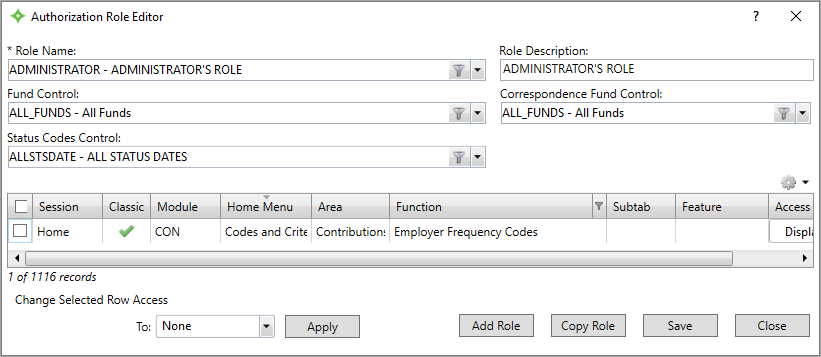
-
Choose an
Employer Frequency Codesaccess level for the role.- Choose
Noneto restrict the role from seeing the frequency code screen. . - Choose
Displayto let the role see and use the frequency code screen.
- Choose
- Click
Saveto confirm your changes.