 ServiceXG Basics
Contract search
Go to: Home > Codes and Criteria > Contributions Contracts > Contracts
-
To search all contracts,
[]into the search bar and click . The double brackets search for every contract in the system. If you know the contract code or description, enter it to find it.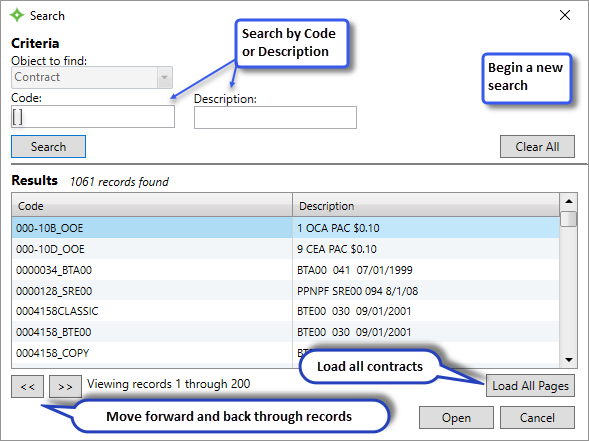
-
From the search window, search by
CodeorDescription.Note: Depending on your setup, you might have different search filters (for example, you might haveNameinstead ofCode). Contact your basys representative for support.- Click
 to clear the search results table and start a new search.
 - Use
 to move between search result pages.
 - Click
 to load all contracts in the table.
 - Double-click a contract, or click once then click
 to open the contract.
- Click