Contracts
Contracts  Agreements Employers
  Remittance Due Records
 A written contract between the employer and union that governs what and how employers pay towards benefits for their employees. The CBA contains the wages, hours, and other working conditions negotiated for members and also determines how much the employer should pay for benefits, how that payment is to be broken out by fund, and when the payment is due. In the basys system, an agreement is the CBA and links all like contracts under it.).
Once a contract is set up, it must be linked to an agreement (see Agreement overview). Lastly, the agreements, and their linked contracts, must be linked to employers.
Once the contract, agreement, and employer are linked, the employer's remittance due records are created.
The set up order is as follows:
- Create the contracts (see Create a New Contract).
- Create the agreement to which the contracts belong (see Add, update, or delete an agreement).
- Add contracts to the agreement (see Add contracts to an agreement).
- Create an employer agreement link (see Link or add an agreement to the employer).
- After the setup is complete, the remittance due records are created.
What’s in a contract?
Contract details are determined by the CBA A written contract between the employer and union that governs what and how employers pay towards benefits for their employees. The CBA contains the wages, hours, and other working conditions negotiated for members and also determines how much the employer should pay for benefits, how that payment is to be broken out by fund, and when the payment is due. In the basys system, an agreement is the CBA and links all like contracts under it., which contains the wages, hours, and other working conditions negotiated for members. The CBA also determines how much the employer should pay for benefits, how that payment is to be divided by fund, and when the payment is due.
A BASYS agreement holds all contracts (rate structures) for the full CBA period. There can be more than one contract per agreement. Each contract requires:
-
Funds that define the benefit types the employees will receive.
-
Apps to identify the reported quantities on a remittance (hours, dollars, wages, weeks).
-
Rates that determine the amount due together with the entered quantity and app. There can be different rates for each fund/app/modifier combination.
The main elements of the contract that define how much an employer must contribute to a specific fund are the app, rate, and modifier.
-
Apps determine how to apply the rates or how contributed amounts are calculated. For example, a HW (hours worked) app will calculate the employer’s contribution amount based on the number of hours the employee worked.
-
If benefit rates vary depending on the time of day the employee worked (shift) or the employee’s skill level, assign a modifier to a fund/app/rate combination to classify the different rates. For example, an employee working third shift (night hours) might get a higher rate than someone working first shift (day hours). Rate exceptions or modifiers can be assigned using a member status code, class code, shift, area, group, local, and/or employer.
Access contracts
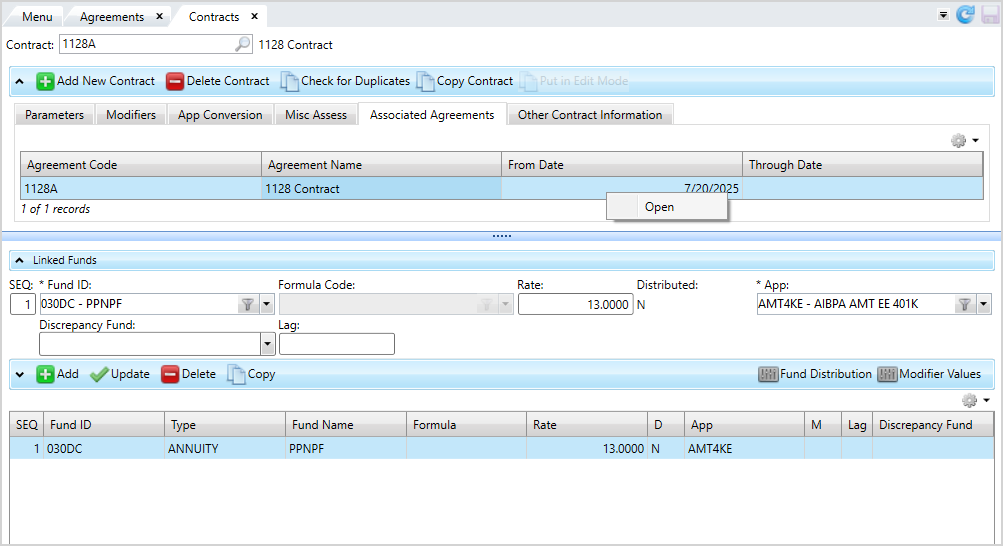
Go to: Home > Codes and Criteria > Contributions Contracts > Contracts
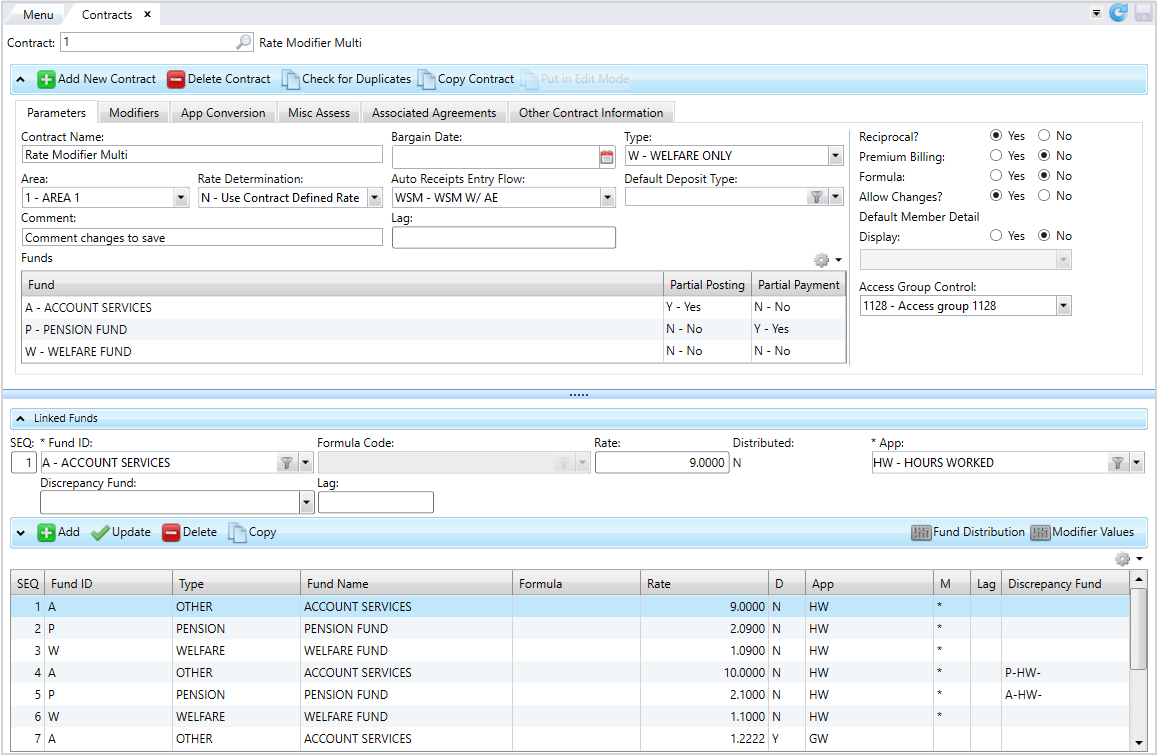
- Create a New Contract from scratch or Copy a contract to create a new contract from an existing one. Check for contract duplicates to ensure you aren't creating unnecessary contracts.
- Contract edit mode to change any important information in the contract subtabs.
- Delete a contract if you enter any incorrect information during setup. You can't delete a contract once it has posted receipts.
View Agreements
Select the Associated Agreements tab to view the agreements for a contract.
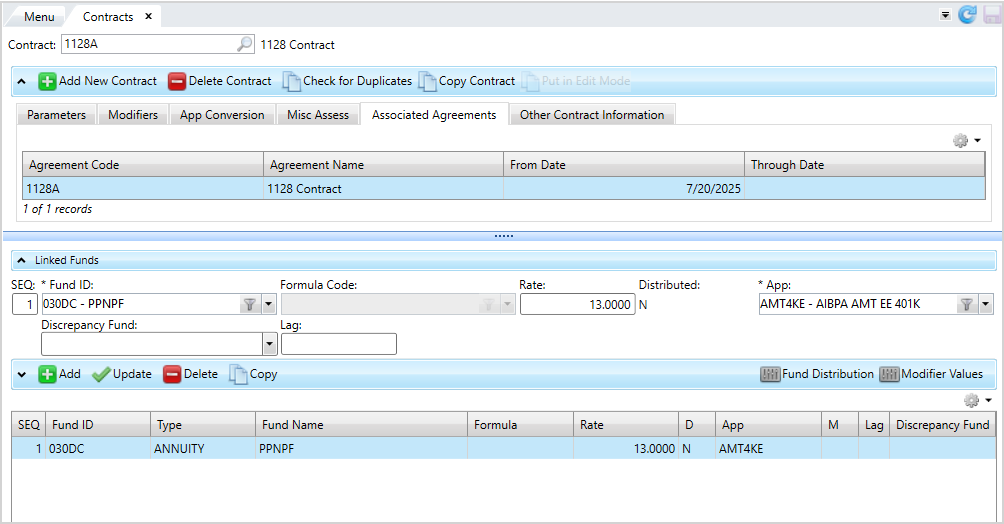
To quickly navigate to the agreement, double-click a row to open the Agreements screen for the selected agreement. You can also right-click a row and select Open Agreement.